
Operation Manual




Camtasia Studio Version 8 Help
www.techsmith.com - 87 -
Export Library Assets as a ZIP File (LIB-
ZIP)
If you or your company uses a certain callout, title clip, survey, or transition for their videos, create those
assets one time, add them to the Library, then export the Library as a zip (LIBZIP) to use across several com-
puters or to share with others.
You can also export folders or the entire library.
Export Assets or the Entire Library as a ZIP File
1. While in the Library:
Click to select an asset file.
To select multiple files, press and hold the CTRLkey and click to select each file.
To export the entire Library, do not select any files.
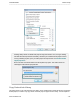
2. Right-click a selected asset and select Export Library from the context menu.
To export the entire Library, right-click in the white space below all the Library folders and select
Export Library from the context menu
3. Accept the default file location and file name or click the Browse button to choose a new location and
name. Click OK.
See also
Library
Add Media to the Library
Manage Library Content
_________________________________________________________________________________________________________