
User's Manual


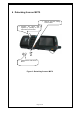



Table Of Contents

Multi ISO RFID 1059 User Guide.doc 1059
Page 8 of 22
ASCII format (COM1, 19200 baud). In this default mode an easy way to
display the data is to use a Terminal Emulation program, for example mToken
from Choung Networks. A trial version is available from
http://www.choung.net/mToken/
Having installed mToken with ActiveSync connect to the reader as follows:
Launch mToken.
Select “Direct Comm Port” from the “session” menu.
Select the COM1
Change the baud rate to “19200”. Data bits should be 8, stop bits
should be 1, parity should be “None” and flow control should be “None”.
Click “Connect”
The transponder UIDs are then displayed, prefixed by a letter identifying the
transponder type as follows; 'M' for ISO14443A, 'Z' for ISO14443B, 'S' for
SR176, 'V' for ISO15693.
The status LEDs on the front of the RFID 1059 provide an indication of the
operating status of the RFID 1059.
LED colour Status
Green flash The previous command was
successfully received and processed
by the reader.
Red flash The previous command was not
successfully processed by the reader.
Note that custom configuration of the RFID 1059 may prevent it from
operating as described above.