
User's Manual



59
6 TELEPHONY
DMS-CTC-20101206-0033 v0.1
6.4 Viewing Call Logs
Introduction
The Call Logs page on the Technicolor Gateway GUI lists:
Successful incoming calls.
Missed incoming calls.
Successful outgoing calls.
Failed outgoing calls.
Viewing the telephony statistics
Proceed as follows:
1 Browse to the Technicolor Gateway GUI.
2 On the Toolbox men
u, click Te l e p h o n y.
3 The Te l e p h o n y pa
ge appears:
On this page you can see an overview of your last calls.
4 To view more detailed statistics, click V
iew telephony statistics and logs in the Pick a task list.
Used icons
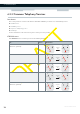
The call logs use the following icons to illustrate the call type:
Icon Ty p e
Successful outgoing phone call
Successful incoming call
Failed outgoing call
Failed incoming call
Calling a contact from the call log
You can immediately start a new call to one of these contacts by clicking the button in the Remote Number column.