
User Manual


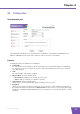


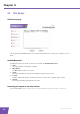


Table Of Contents
- About this Setup and User Guide
- 1 About your Wireless USB Adaptor
- 2 Install the Drivers
- 3 Associate your Wireless USB Adaptor to your Access Point
- 4 Wireless Configuration Utility
- 5 Troubleshooting

E-DOC-CTC-20080318-0006 v1.0
20
Chapter 4
4.3 Profile
The Profile page
This tab allows you to manage your wireless profiles.
Use of Profiles
If you regularly need to switch between wireless networks (for example if you use your laptop at the office as
well as at home), it might be useful to save these settings to a profile. This way you can easily switch between
these settings in a few clicks.
Working with Profiles
Click:
Add to add a new profile.
Remove to delete an selected profile.
Edit to change the settings of an existing profile.
Connect to activate the selected profile.