
User Manual




Medio P101-Ethernet
28/41 Revision 2.2 April 2008
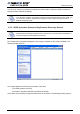
Enter the correct reader IP address.
Check the port number value and change it to the correct value in case the default raw TCP port
value of the Medio P101-Ethernet reader has been modified.
Set the STX setting mode to Fast to increase performances and click OK.
5.3 Reading and Writing a Tag
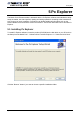
Px Explorer includes a Wizard function used to guide you each step of how to read or program a
tag. We recommend using the Wizard function for users who are not familiar with all Px Explorer
capabilities and features.
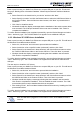
Click on the Wizard icon (magic wand) to open the Px Explorer Wizard dialog box.
Select the type of chip from the drop–down menu or place the tag on the antenna and click the
“Detect “ button to automatically detect the tag type.
Select the desired operation (Read or Write) and then click OK. All the necessary windows to
perform the desired action will be automatically displayed on the screen.