
User Manual




Px Explorer
April 2008 Revision 2.2 27/41
5.2 Running Px Explorer
5.2.1 USB Communication
Before launching Px Explorer be sure which COM port number is assigned to the TAGSYS Medio
P101-Ethernet reader. Open the Device Manager and select “View > Devices by type”.
The COM port number is assigned to the
Medio P101.
Power up the Medio P101-Ethernet and connect the USB cable to both your PC and the Medio
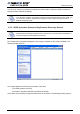
P101-Ethernet. Run Px Explorer. If the following window is displayed click yes.
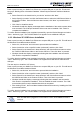
Open the Communication Settings window (CTRL+C) and check the type of the media, the COM
port number and the communication speed. The default communication speed for the Medio P101-
Ethernet is 115200 Bauds.
Set the STX setting mode to Fast to increase performances and click OK. Now Px Explorer is
ready to communicate with your Medio P101-Ethernet.
5.2.2 Ethernet Communication
Before running Px Explorer, be sure that the Medio P101-Ethernet module is power up and
correctly linked to your Ethernet network.
Open the communication setting window (CRTL+C) and check that the media type is selected to
Ethernet/WIFI as shown below.