
User Manual




Installing the Reader
April 2008 Revision 2.2 21/41
You can now configure your Ethernet network to link the reader or follow the ADDP procedure to
change the basic network IP settings.
If you decide to configure your Ethernet network to meet the default settings of the reader, you
can check your system is operational by pinging the reader using then “ping 192.168.0.2”
MSDOS command prompt.
4.2.3 ADDP procedure (Advanced DigiConnect Discovery Device)
Firewalls may block ADDP broadcast protocol. Please turn your firewall off for initialization to
avoid issues (This includes Windows XP firewall)
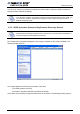
Run “\DigiConnect Integration Kit\dgdiscvr.exe” program available on the product CDROM. The
following window pops up:
If no reader appears in the Discovery windows, check that:
- no firewall program is running
- the reader is properly linked with your Ethernet network
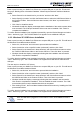
If the reader is not properly configured, double-click on the device. The following window pops up: