
User Manual
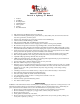
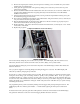


6. Remove the original power switch by unscrewing the two mounting screws. Install the new power switch
included with your Yakuza board.
7. Gently place the grip frame back on the gun body, making sure to route the eye harness and new power
switch harness carefully.
8. Remove the OLED module from the Yakuza board. It has two connectors, one on each side. Make sure to
grasp the entire OLED circuit board, and gently pull it away from the main board. This will facilitate
installation into the frame.
9. Insert the Yakuza main board into the grip frame, securing it with the original board mounting screw, plus
the included longer trigger switch screw.
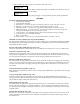
10. The sockets are all labeled on the backside of the Yakuza board. Plug in the emitter, receiver, solenoid, and
new power harness into their appropriate sockets.
11. Plug the OLED board back into the main board. Make sure to line the connectors up properly and press
down until it is flush with the side of the grip frame.
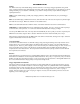
12. Replace the battery. The positive terminal is towards the front of the frame, as shown by the + and – marks
on the surface of the board.
13. Replace the grip panels.
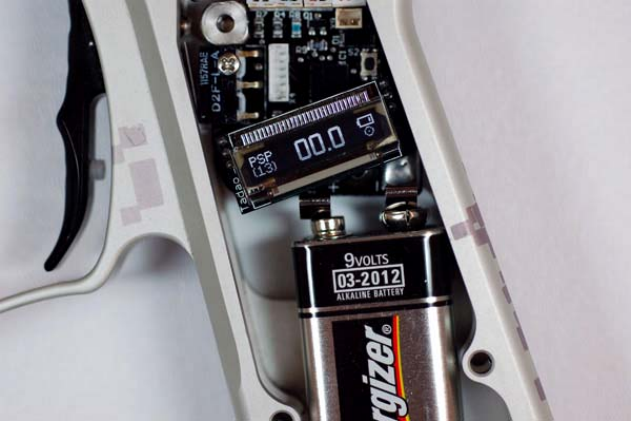
Completed installation of board and battery:
BOARD OPERATION
Turn on the board by sliding the power switch to the on position. The OLED display will show the boot screen,
followed by the main screen with the current fire mode, rate of fire, battery, and eye status visible.
Turn off the board by sliding the power switch to the off position. The OLED display will turn off to indicate the
board has shut down.
The eye system is toggled on and off by pulling and holding the trigger for 3 seconds. The OLED display will
reflect the eye status by changing the eye indicator.
If used, the eye system cycles the marker as fast as possible. During each shot the eyes watch for the bolt to return,
ending the current firing cycle and starting another as quickly as the pneumatics allow. If the eye system is
continually blocked (e.g., putting your finger in front of the eyes) and is unable to see the bolt return after every
shot, the max rate of fire will be reduced to about 8 balls per second to prevent further chopping, and the OLED
display will display an eye malfunction. Firing the marker with paint and air will utilize the eye system correctly,
maximizing the rate of fire.
The programming menu system is activated by holding down the trigger while pressing turning the board on. The
OLED display will show “Menu system initiated….” Further details regarding the menu system can be found
below.
If selected in the menu system, the game timer will replace the current rate of fire indicator on the OLED display.
The game timer will start to count down on the first trigger pull after the board is turned on.