
Scanner Programmer's Guide


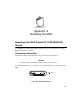
Table Of Contents
- Cover
- About This Guide
- Chapter 1 Getting Started
- Chapter 2 Hardware Setup
- Chapter 3 Software Installation
- Chapter 4 Operating the SPS 3000
- Chapter 5 Developing Applications for the SPS 3000
- Chapter 6 Maintenance, Troubleshooting, and Technical Specifications
- Appendix A Resetting the iPAQ
- Appendix B Registry Keys
- Index

A-1
Appendix A
Resetting the iPAQ
Resetting Your iPAQ Pocket PC (3100/3600/3700
Series)
If your iPAQ stops responding to input from buttons or the screen, you must reset it by
performing a warm or cold boot.
Performing a Warm Boot
A warm boot restarts the terminal and saves all stored records and entries.
Caution
Files that remain open during a warm boot may not be retained.
To perform a warm boot, use your stylus to press the Reset button on the bottom of the
iPAQ.
Figure A-1. Warm Boot Button
Reset Button