
Scanner Programmer's Guide
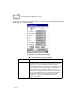
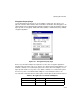
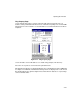
Table Of Contents
- Cover
- About This Guide
- Chapter 1 Getting Started
- Chapter 2 Hardware Setup
- Chapter 3 Software Installation
- Chapter 4 Operating the SPS 3000
- Chapter 5 Developing Applications for the SPS 3000
- Chapter 6 Maintenance, Troubleshooting, and Technical Specifications
- Appendix A Resetting the iPAQ
- Appendix B Registry Keys
- Index
4-21
Operating the SPS 3000
Ping Property Page
Use the Ping property page to view the signal strength, data rate transmission, test
statistics and to perform data transmission tests. Transmission quality tests send an ICMP
ping packet across the network to a selected address to test data transmissions between
computers.
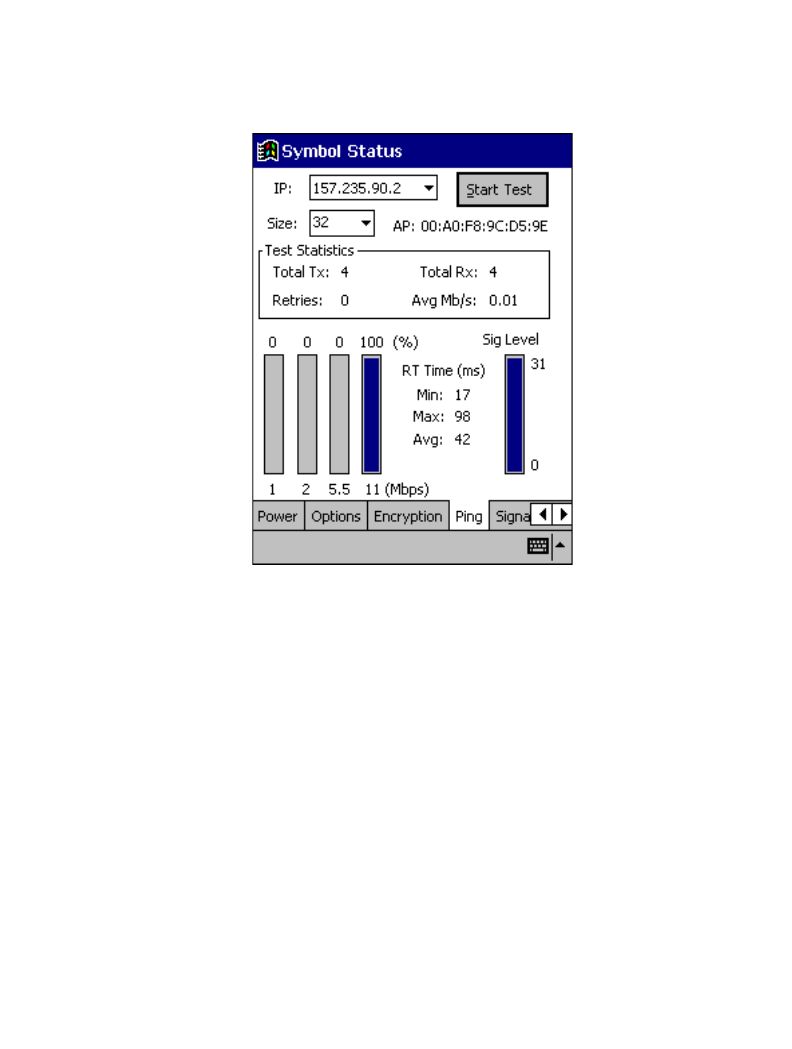
Figure 4-12. Ping Property Page
Use the IP field to enter an IP address as a dotted string (example, 122.78.3.141).
Select the size of packets sent from the Size pull-down menu.
Tap Start Test to begin the test. Each ping displays the round trip time it took the ICMP ping
to complete. The minimum, maximum and average values are displayed as results. A real-
time graph indicates the signal strength and each transmission data rate as a percentage
of the overall data traffic.