
Scanner Programmer's Guide
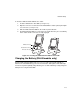
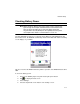
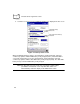

Table Of Contents
- Cover
- About This Guide
- Chapter 1 Getting Started
- Chapter 2 Hardware Setup
- Chapter 3 Software Installation
- Chapter 4 Operating the SPS 3000
- Chapter 5 Developing Applications for the SPS 3000
- Chapter 6 Maintenance, Troubleshooting, and Technical Specifications
- Appendix A Resetting the iPAQ
- Appendix B Registry Keys
- Index
2-8
SPS 3000 Series Programmer’s Guide
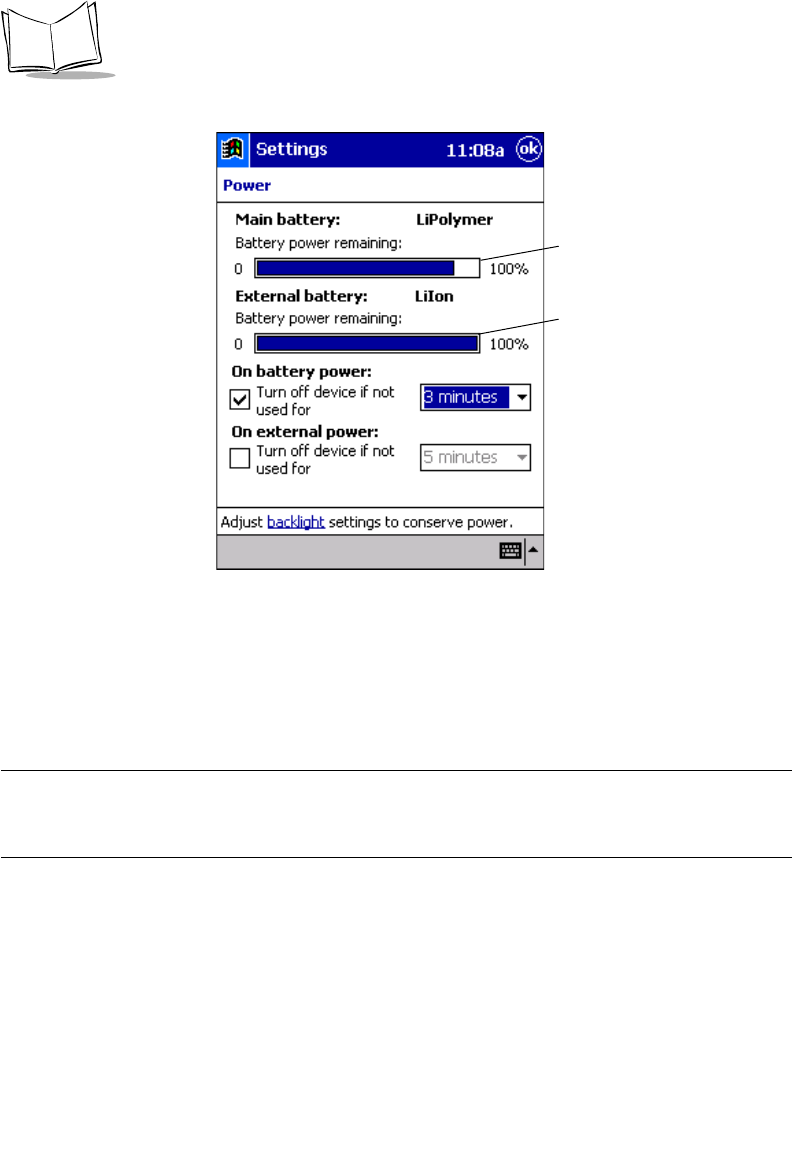
5. Scroll the screen, if necessary, and tap the Power icon to display the Power screen.
Figure 2-7. Battery Status Screen
When the iPAQ main battery charges, the main battery “power remaining” status bar
continuously updates until the iPAQ battery is fully charged (100%). If the SPS 3000 is
connected, and its battery is low, the external battery “power remaining” status bar
continuously updates until the SPS 3000 battery is fully charged (100%). The SPS 3000
battery charges after the iPAQ battery is fully charged.
Note:The SPS 3000 scan only model does not include a battery. When
your iPAQ is connected to a scan only SPS 3000, there is no
external battery status bar display on the iPAQ Power screen.
iPAQ Main Battery
Status Bar
SPS 3000 External Battery
Status Bar