
2012
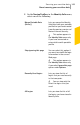

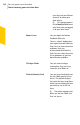


Table Of Contents
- Norton™ Internet Security Product Manual
- Contents
- 1. Getting started
- 2. Monitoring your system's performance
- 3. Protecting your files and data
- 4. Responding to security issues
- 5. Protecting Internet activities
- 6. Securing your sensitive data
- 7. Monitoring protection features
- 8. Customizing protection features
- 9. Finding additional solutions
- Index

Lets you view the Norton Safe
Search box.
You can type a search string in
the Norton Safe Search box and
perform a search. The search box
displays relevant search
suggestions in a pop-up window.
By default, the Norton Safe
Search box is hidden. After you
install Norton Internet Security
and open Internet Explorer or
Firefox, an alert message is
displayed. The alert message
prompts you to enable Norton
Safe Search. You can choose to
enable or disable Norton Safe
Search. If you want to disable
Norton Safe Search, you can use
the Disable Norton Safe Search
option.
Enable Norton Safe
Search/ Disable Norton
Safe Search
Lets you open the Web site
https://www.mynortonaccount.com.
Norton Account lets you register
your product with Symantec and
manage all of your Norton
products in one place.
My Norton Account
Lets you view the online tutorial
to learn more about Identity
Safe.
Launch Tutorial
Lets you view the Norton menu
help page.
Help
363Securing your sensitive data
About securing your sensitive data