
2012


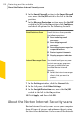
Table Of Contents
- Norton™ Internet Security Product Manual
- Contents
- 1. Getting started
- 2. Monitoring your system's performance
- 3. Protecting your files and data
- 4. Responding to security issues
- 5. Protecting Internet activities
- 6. Securing your sensitive data
- 7. Monitoring protection features
- 8. Customizing protection features
- 9. Finding additional solutions
- Index

To view the Monthly Report
1
In the Norton Internet Security main window, click
Settings.
2
In the Settings window, click the General tab.
3
In the left pane, click Other Settings.
4
In the Monthly Report row, click View Report.
5
View the report and click Close.
105Monitoring your system's performance
About System Insight