
User`s manual



4-20
C7Q67 User's Manual
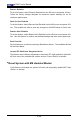
Restore Defaults
To set this feature, select Restore Defaults from the Exit menu and press <Enter>.
These are factory settings designed for maximum system stability, but not for
maximum performance.
Save As User Defaults
To set this feature, select Save as User Defaults from the Exit menu and press <En-
ter>. This enables the user to save any changes to the BIOS setup for future use
Restore User Defaults
To set this feature, select Restore User Defaults from the Exit menu and press <En-
ter>. Use this feature to retrieve user-dened settings that were saved previously.
Boot Override
Set this feature to override a previously dened boot device. The available devices
will be listed below.
LaunchEFIShellfromlesystemdevice
This feature when initiated, will attempt to launch an EFI shell application (shellx64.
e) from one of the available le system devices. Press <Enter> to activate.
Reset System with ME disabled Moded
If this feature is activated, the system will reset and temporarily disable ME. Press
<Enter> to activate.