
User`s manual


Chapter 4: AMI BIOS
4-13
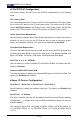
The options for Serial Port 2 are Auto, (IO=2F8h; IRQ=3), (IO=3F8h; IRQ=4, 10,
11), (IO=2F8h; IRQ=3, 10, 11), (IO=3E8h; IRQ=4, 10, 11) and (IO=2E8h; IRQ=3,
10, 11).
The options for Serial Port 3 are Auto, (IO=3E8h; IRQ=10), (IO=3F8h; IRQ=4, 10,
11), (IO=2F8h; IRQ=3, 10, 11), (IO=3E8h; IRQ=4, 10, 11) and (IO=2E8h; IRQ=3,
10, 11).
The options for Serial Port 4 are Auto, (IO=2E8h; IRQ=11), (IO=3F8h; IRQ=4, 10,
11), (IO=2F8h; IRQ=3, 10, 11), (IO=3E8h; IRQ=4, 10, 11) and (IO=2E8h; IRQ=3,
10, 11).
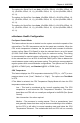
HardwareHealthConguration
Fan Speed Control Mode
This feature allows the user to decide how the system controls the speeds of the
onboard fans. The CPU temperature and the fan speed are correlative. When the
CPU on-die temperature increases, the fan speed will also increase for effective
system cooling. Select "Full Speed" to allow the onboard fans to run at full speed
(of 100% Pulse Width Modulation Duty Cycle) for maximum cooling. This setting
is recommended for special system conguration or debugging. Select "Standard"
for the onboard fans to run at 50% of the Initial PWM Cycle in order to balance the
needs between system cooling and power saving. This setting is recommended for
regular systems with normal hardware congurations. The options are Full Speed
(@100% of PWM Cycle), and Standard (@50% of PWM Cycle).
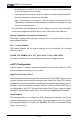
CPU Temperature
This feature displays the CPU temperature detected by DTS (i.e., +34
o
C) or tem-
perature status in text ("Low", "Medium" or "High"). The options are Text Mode
or DTS.
If Text Mode is selected, the CPU Temperature Display Mode will show the CPU
temperature status as follows:
Low – This level is considered as the ‘normal’ operating state. The CPU
temperature is well below the CPU ‘Temperature Tolerance’. The mother-
board fans and CPU will run normally as congured in the BIOS (Fan Speed
Control).
User intervention: No action required.
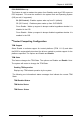
Medium – The processor is running warmer. This is a ‘precautionary’ level
and generally means that there may be factors contributing to this condition,
but the CPU is still within its normal operating state and below the CPU
‘Temperature Tolerance’. The motherboard fans and CPU will run normally