
User`s manual



Chapter 4: BIOS
4-17
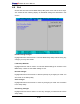
DMA Channel
This setting allows you to specify the DMA channel for the parallel port. The options
are DMA1 and DMA3.
uHardware Monitoring
CPU Overheat Alarm
This option allows the user to select the CPU Overheat Alarm setting which de-
termines when the CPU OH alarm will be activated to provide warning of possible
CPU overheat.
Warning: Any temperature that exceeds the CPU threshold temperature
predefi ned by the CPU manufacturer may result in CPU overheat or system
instability. When the CPU temperature reaches this predefi ned threshold,
the CPU and system cooling fans will run at full speed.
The options are:
The Default Alarm Setting: Select this setting if you want the CPU overheat alarm
(including the LED and the buzzer) to be triggered when the CPU temperature
reaches about 5
o
C above the threshold temperature as predefi ned by the CPU
manufacturer to give the CPU and system fans additional time needed for CPU
and system cooling.
The Early Alarm Setting: Select this setting if you want the CPU overheat alarm
(including the LED and the buzzer) to be triggered as soon as the CPU temperature
reaches the CPU overheat threshold as predefi ned by the CPU manufacturer.
Note: In the Windows OS environment, the Supero Doctor III settings take
precedence over the BIOS settings. When fi rst installed, Supero Doctor III
adopts the temperature threshold settings previously set in the BIOS. Any
subsequent changes to these thresholds must be made within Supero Doc-
tor, since the SD III settings override the BIOS settings. For the Windows
OS to adopt the BIOS temperature threshold settings, please change the
SDIII settings to be the same as those set in the BIOS.
Voltage Monitoring
The following items will be monitored and displayed:
Vcore A, 12V/-12V, V_DIMM, 5V, 3.3V/3.3Vsb, Vbat