
User`s manual


2-26
C2SBC-Q User's Manual
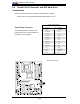
FAN1
JI2C2
JWOR
JPL1
JF1
JWD
JLED
Battery
DIMM1A
DIMM2A
DIMM1B
DIMM2B
I-SATA2
I-SATA3
SPEAKER
COM1
KB/MOUSE
CPU Fan
VGA
USB
2/3/4/5
Audio
J41
LGA 775 CPU
Slot7 PCI-E x16
Slot6 PCI-33MHz
JPL2
Slot3 PCI-33MHz
Slot2 PCI-33MHz
JP2
Buzzer
Slot1 PCI-33MHz
JPUSB2
IDE
FP USB 8/9
FP USB 6/7
I-SATA4
I-SATA5
JL1
LE1
Intel Q35
Intel ICH9
Audio CTRL
CD-IN
COM4
Front Audio
W83627DHG
Printer
S I/O 1
IDE CTRL
ITE 8213
COM3
COM2
USB 10
USB 11
JWOL
I-SATA0
I-SATA1
FAN2
W83627DHG
S I/O 2
Fan3
JPUSB1
LAN 1
Slot5 PCI-E x4
Slot4 PCI-33MHz
JP5
JI2C1
JSMB
LAN 2 CTRL
LAN 1 CTRL
JBT1
USB
0/1
LAN 2
ATX Power
C2SBC-Q
GLAN LEDs
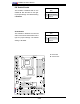
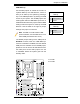
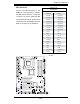
There are two Gigabit-LAN ports (J50,J11)
on the motherboard. Each Gigabit Ether-
net LAN port have two LEDs. The yellow
LED indicates activity; while the Link LED
may be green, amber or off to indicate the
speed of the connection. See the tables
at right for more information.
2-8 Onboard Indicators
Activity
LED
GLAN Activity Indicator
LED Setting
Color Status Defi nition
Yellow Flashing Active
GLAN Link Indicator
LED Settings
LED Color Defi nition
Off No Connection or 10 Mbps
Green (On) 100 Mbps
Amber (On) 1 Gbps
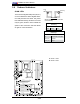
A. GLAN 1 LEDs
B. GLAN 2 LEDs
Link
LED
Rear View
(When viewing from the rear side
of the chassis.)
A
B