
User's and BIOS Manual (1.0a)

Chapter 5: Advanced Motherboard Setup
5-21
5-11 Onboard Indicators
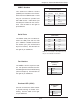
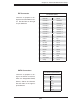
LAN1/LAN2 LEDs
The Ethernet ports (located beside
the VGA port) have two LEDs. On
each Gb LAN port, the yellow (right)
LED indicates activity while the left
LED may be green, orange or off to
indicate the speed of the connection.
See the table on the right for the func-
tions associated with the left (activity
speed) LED.
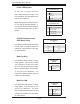
LAN LED
(Connection Speed Indicator)
LED Color Defi nition
Off 10 MHz
Green 100 MHz
Amber 1 GHz
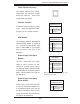
SATA Activity LEDs
When illuminated, the DP1, DP2,
DP3 and DP4 LEDs indicate activity
on SATA channels SATA3, SATA2,
SATA1 and SATA0, respectively
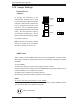
SATA Activity LEDs
(DP1-DP3)
State System Status
On SATA channel active
Off SATA channel inactive