
User`s manual



7-7
Chapter 7: SAS2 BIOS Configuration Utility
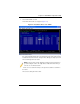
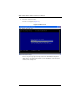
8. From the ADAPTER PROPERTIES screen, select VIEW EXISTING VOLUME.
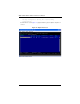
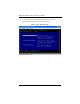
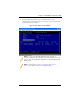
The VIEW VOLUME screen appears (Figure 7-8). Use this screen to view your volume
details and review it for correctness.
Figure 7-6. View Volume Screen – RAID 10
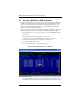
NOTE: To create a second Integrated Mirroring volume, repeat these
instructions starting with step 2. Alternatively, follow the instructions in the next
section to create an Integrated Mirroring Enhanced or Integrated Mirroring and
Striping volume.
NOTE: See the instructions in Section : "Creating Hot Spare Disks" on
page 7-15, if you want to create one or two global hot spares.