
Server Module Installation Guide
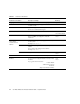
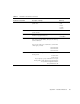
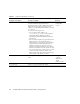
Table Of Contents
- Sun Blade™ X6450 Server Module Installation Guide
- Contents
- Preface
- Introduction
- Installing and Configuring the Server Module
- Installation Worksheet
- Using the BIOS Configuration Utility to Configure the Sun Blade RAID 5 Expansion Module
- Introduction to the BIOS RAID Configuration Utility
- Understanding Hot-Plug Limitations and Conditions Within the BIOS RAID Configuration Utility
- Running the BIOS RAID Configuration Utility
- Using the ACU to Create and Manage Arrays
- Using the -Select Utility to Modify REM Settings
- Using the Disk Utilities to Manage Disk Drives
- Initializing a RAID Array
- Index

42 Sun Blade X6450 Server Module Installation Guide • September 2008
TABLE A-1 Installation Worksheet
Information for Installation Description or Example
Your Answers:
Defaults (*)
Language Choose from the list of available languages. English*
Locale Choose your geographic region from the list of
available locales.
Terminal Choose the type of terminal that you are using from
the list of available terminal types.
Network connection Is the system connected to a network? • Networked
• Non-networked*
DHCP Can the system use Dynamic Host Configuration
Protocol (DHCP) to configure its network
interfaces?
•Yes
• No*
If you are not
using DHCP,
note the network
address:
IP address If you are not using DHCP, supply the IP address
for the system.
Example: 129.200.9.1
Subnet If you are not using DHCP, is the system part of a
subnet?
If yes, what is the netmask of the subnet?
Example: 255.255.0.0
255.255.0.0*
IPv6 Do you want to enable IPv6 on this machine? • Yes
• No*
Host name A host name that you choose for the system.
Kerberos Do you want to configure Kerberos security on this
machine?
If yes, gather this information:
Default Realm:
Administration Server:
First KDC:
(Optional) Additional KDCs:
•Yes
• No*