
Server Module Installation Guide
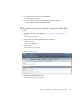
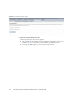
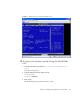
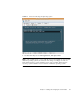

Table Of Contents
- Sun Blade™ X6450 Server Module Installation Guide
- Contents
- Preface
- Introduction
- Installing and Configuring the Server Module
- Installation Worksheet
- Using the BIOS Configuration Utility to Configure the Sun Blade RAID 5 Expansion Module
- Introduction to the BIOS RAID Configuration Utility
- Understanding Hot-Plug Limitations and Conditions Within the BIOS RAID Configuration Utility
- Running the BIOS RAID Configuration Utility
- Using the ACU to Create and Manage Arrays
- Using the -Select Utility to Modify REM Settings
- Using the Disk Utilities to Manage Disk Drives
- Initializing a RAID Array
- Index

34 Sun Blade X6450 Server Module Installation Guide • September 2008
FIGURE 2-6 Remote Control Screen
5. Click the Launch Redirection tab.
After some messages, the console appears.
■ The contents of the redirection screen depends on the state of the server
module.
FIGURE 2-7 shows the console with an open BIOS session.
■ If a login prompt appears, you can log in to the console.