
Server Module Installation Guide
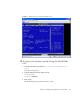
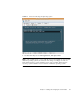

Table Of Contents
- Sun Blade™ X6450 Server Module Installation Guide
- Contents
- Preface
- Introduction
- Installing and Configuring the Server Module
- Installation Worksheet
- Using the BIOS Configuration Utility to Configure the Sun Blade RAID 5 Expansion Module
- Introduction to the BIOS RAID Configuration Utility
- Understanding Hot-Plug Limitations and Conditions Within the BIOS RAID Configuration Utility
- Running the BIOS RAID Configuration Utility
- Using the ACU to Create and Manage Arrays
- Using the -Select Utility to Modify REM Settings
- Using the Disk Utilities to Manage Disk Drives
- Initializing a RAID Array
- Index

Chapter 2 Installing and Configuring the Server Module 33
4. To exit the system console, press Esc-Shift-9.
The ELOM prompt appears.
5. To power off the system, from the ELOM, type the command:
-> set /SYS/CtrlInfo/PowerCtrl=off
▼ To Access the System Console Using the ILOM Web
GUI
1. Start the web GUI as described in “To Connect to the ILOM Web GUI” on
page 24.
The login screen appears.
2. Type a valid user name and password. For example:
Username: root
Password: changeme
3. Click Login.
The Versions screen appears.
FIGURE 2-5 Versions Screen
4. Click on the Remote Control tab.
The Remote Control screen appears.