
Server Module Installation Guide
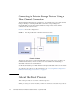
Table Of Contents
- Sun Blade™ X6450 Server Module Installation Guide
- Contents
- Preface
- Introduction
- Installing and Configuring the Server Module
- Installation Worksheet
- Using the BIOS Configuration Utility to Configure the Sun Blade RAID 5 Expansion Module
- Introduction to the BIOS RAID Configuration Utility
- Understanding Hot-Plug Limitations and Conditions Within the BIOS RAID Configuration Utility
- Running the BIOS RAID Configuration Utility
- Using the ACU to Create and Manage Arrays
- Using the -Select Utility to Modify REM Settings
- Using the Disk Utilities to Manage Disk Drives
- Initializing a RAID Array
- Index

Chapter 1 Introduction 7
Solid State Disk Drive (SSD)
The SSD is a 32-gigabyte solid-state SATA drive that mounts on the motherboard.
Note – This feature requires a F540-7821-01 or newer motherboard, with 2.0
software installed. The motherboard part number appears on the motherboard, and
can be read using the service processor.
When an SSD is present, it appears as a disk device, and you can install an operating
system on it.
Note the following conditions:
■ The SSD can only be driven by the onboard SATA controller.
■ A server module with an SSD cannot have a Sun Blade RAID 5 Expansion
Module.
■ A server module with an SSD can have a Sun Blade RAID 0/1 G2 RAID
Expansion Module, however it cannot drive the SSD.
For instructions to install an SSD, see the Sun Blade X6450 Server Module Service
Manual.
Connecting to SAS Devices
The SAS-NEM module, mounted in the back of the chassis, allows to the Sun Blade
X6450 Server Module to connect to SAS devices inside the chassis and outside of the
chassis. Each chassis can support one or two SAS-NEM modules.
These configurations require the Sun Blade X6450 Server Module to have either a
REM or a FEM.
■ Inside the chassis, the Sun Blade 6000 Disk Module provides eight SAS drives.
The Sun Blade 6000 Disk Module and the Sun Blade X6450 Server Module work
in pairs, with the server module in an even-numbered slot, directly to the left of
the disk module. Thus, the pairs can be in slots 0+1, 2+3, 4+5, 6+7, or 8+9.
In this configuration, the eight disks on the disk module are available to the
server module, and appear in the boot list as local drives.
■ Outside the chassis, the Sun Blade 6000 10GbE Multi-Fabric Network Express
Module provides four 10 GbE SAS external ports as well as connections to the
Sun Blade 6000 Disk Module.
For more information, see the Sun Blade 6000 Disk Module Installation Guide
(820-1702), and the documentation for the corresponding SAS NEM module.