
Quick Start Guide


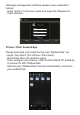


Activate Application on iPhone & iPad
Note: The WeZee Disk application integrates its own media
player that decodes all types of video formats
- You have 30 days to authenticate and register your WiFi Disk
online by following the process below. After this time, the
implementation of WeZee Disk Video decoding will be disabled.
- If you want to reactivate this video decoding, please follow the
process referred in the manual.
After downloading the free application "WeZee -Disk" via Apple
App Store and install on your iPhone or iPad.
1) Please connect the RJ45 cable from your router to the RJ45
port on your WeZee-Disk so that it can access the Internet.
2) Make sure the Internet WAN LED is light (Green).
3) Please connect your iPhone or iPad to WiFi network via your
weZee Disk.
4) Please now start playing a video on your iPhone or iPad to
activate decoding media player of WeZee-Disk.