
Quick Start Guide




Connecting to Wi -Fi
The weZee Disk is accessible through any type of the below
devices:
Windows PC, Mac, iPhone / iPad, Tablet PC & Mobile Apps via
the APPs and Client utility "WeZee-Disk"
Simply search Wi-Fi network appeared on your mobile device or
computer, select and connect to "WeZeeDisk -XXXX".
Once connected, enter the default password: 11111111.
Utility Connection - Client PC
Use your PC / Mac to copy the utility called "WeZee-Disk" and
follow the instructions on the screen:
- Once the process is complete, double -click "WeZee-Disk" icon
on your desktop to launch the utility.
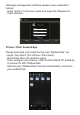
- Please search WeZee Disk (see screenshot below).
- Select the "WeZee-Disk" option.
- Click on the "Log in" button.
Note: If the utility can not find the host name and the IP address
10.10.10.254 of "WeZee-Disk", click "Refresh" button.