
Operation Manual



9-11
Chapter 9: Troubleshooting
Symptoms, Causes and SolutionsSymptoms, Causes and Solutions
Symptom Possible Cause/Solution
Cannot store
recordings on microSD
card.
The microSD card is not inserted rmly into position.
Remove the memory card and re-insert it back to the card slot. To verify if your SD card is
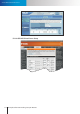
properly installed, go to [Setup] > [Recording Setup] > [Micro SD], and check if [SD Card
Status] and [SD Card Capacity] shows correct information. If "not detected" is shown,
remove and re-insert the card again, and refresh the WebVUer, and verify again.
The microSD card is not properly formatted.
Go to main setup page, and choose [Recording Setup] from the left menu. Choose
[Micro SD] for the "Destination" field, and then press the [Format] button. If it still
doesn't function properly, try storing still snapshots onto the SD card. Failure in storing
snapshots often suggests problem with the memory card.
The microSD card is not supported by the device.
Your IP camera may not fully support high capacity memory cards from all the
manufacturers. Contact Storex technical support when you think you have encountered
a SD card compatibility problem.
The speed class of SD card does not meet the requirement.
You might experience minor issue in video recording when your SD card does not meet
the writing speed requirement. Storex recommends using class 4 or above SD card for
video recording.
A motion detection region has not been congured for recording triggered motion
events.
If you want to record video clips of detected motion to SD card, you need to set at least
a motion detection region before setting up event-based recording in Recording Setup.