
Operation Manual




9-2
Storex DNR-30H Network Camera
Trouble with the ActiveX ClientReset to the Factory Default Settings
Reset to the Factory Default Settings
If you forget your system password or if you feel your IP camera has been acting weird, you can follow the
steps below to reset the camera to its default state in which it will be using the Ethernet port for connection
and obtaining IP from the available local DHCP server. To reset the camera:
1. Pressandholdtheresetbutton(locatedrearpanel)forabout10seconds;whensuccessful,youshall
seetheStatusIndicatorgoo.
2. After about 5 more seconds, the Status Indicator comes on again. It means that the IP camera has
been successfully restored to the factory default settings.
3. Please re-congure the Storex IP camera using the iWizard.
Once the camera is reset, it takes 1 minute to reboot. Please wait and start the IP Camera Utility later again to
scan for the camera.
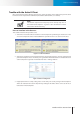
Figure 9-2. Reset button
Reset Button