
Operation Manual



Page 28
7.12 – PASSWORD
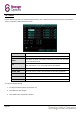
The password page allows configuration of up to 6 accounts (1 admin, 5 normal users).
The DEVICE ID is a unique numerical identifier (in the case that multiple DVRs are being used in one location).
For each user, the following settings are available:
1. USER NAME: Enter the user’s name in this field.
2. LEVEL: Choose either ADMIN or NORMAL.
ADMIN:
The administrator has access to all system settings.
NORMAL:
Normal users have limited access to features.
3. STATE: Choose either ACTIVE / INACTIVE to enable or disable the account.
4. CONFIG: Use this page to set a pass code for the current user.
STATE: Select whether the account should be ACTIVE / INACTIVE.
USER NAME: Enter the user’s name (up to 8 characters).
PASSWORD ENABLE: ENABLE / DISABLE the requirement for this user to provide a password.
PASSWORD: Enter the password to be used.
CONFIRM: Re-enter the password entered above to confirm.
PERMISSION: See next page for User Permission configuration.