
Operation Manual



Page 22
7.5 – RECORD MODE
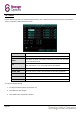
Use this page to configure recording parameters and enable / disable audio.
NOTE
Audio capable cameras (not included) are required for audio recording.
To configure recording options:
1. Under CHANNEL, use the drop-down menus and select ON / OFF to enable / disable recording from the
selected channel.
2. Under resolution, select CIF, HD1 or D1.
CIF
HD1
D1
PAL
Resolution:
352 x 288
704 x 288
704 x 576
Frame rate (FPS):
25
25
25
NTSC
Resolution:
352 x 240
704 x 240
704 x 480
Frame rate (FPS):
30
30
30
3. Under BITRATE, select Low, Medium or High, in Kilobits per second (Kbps).
LOW
MEDIUM
HIGH
CIF
384 Kbps
512 Kbps
896 Kbps
HD1
512 Kbps
768 Kbps
1024 Kbps
D1
768 Kbps
1024 Kbps
1280 Kbps
(continued...)