
User's Manual




12/7/2004 Page 8
To confirm that you actually want to erase all the records you must select yes then press
enter. An “all records erased” message will then be shown.
Configuration
To configure the settings of the unit select Configuration from the main menu.
This option of the main menu will allow you to configure various user reader parameters.
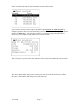
Select the Configuration option by using the up/down arrow keys and when the
Configuration line is highlighted then depress the Enter key. The following screen will
return as shown below.
The PSI limits screen is very similar to the one used after looking at a tire pressure tag
that was just read the only difference is that you can get to this screen without reading a
tag. To select the PSI limits screen depress the Enter key. The following screen will
appear.