
User's Manual




12/7/2004 Page 2
depressing the ENTER key. NOTE: Make sure you are within 5’ (feet) of
the tag you are pointing at before attempting to read. The front of the
reader must point at the sensor that is being read. If several sensors can
be seen at once it may be necessary to get closer to the desired sensor so
that you know which sensor you are reading.
Read tags
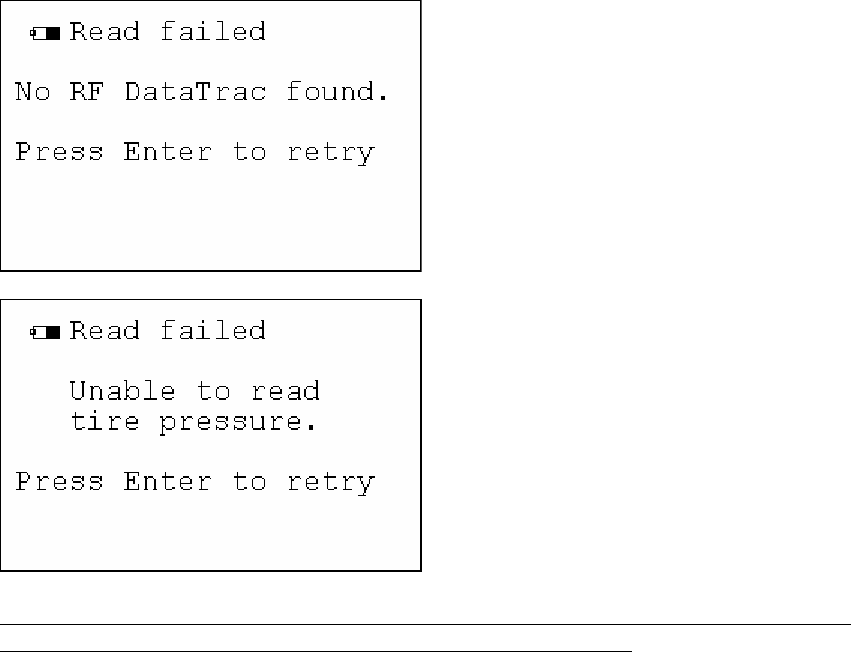
If your desired read tags option can not find the RF tag within the device range then one
of the previous screens will return to you in less than 2.5 seconds.
This may be caused by not holding your Handheld reader within the specified 3’ to 4’ (feet)
from the RF sensor you wish to read or it may be that no RF sensor is found of the type you
chose or too many sensors are being read at once. Please refocus the handheld reader to
within the specified reading range and try again. Contact Stemco service specialist if you
cannot read a RF tag for any reason. (Chris Steph at 800-527-8492 Ext 369)
If you chose the RF DataTrac then the following screen will appear;