
User's Manual




12/7/2004 Page 11
Upon further trouble shooting you may be asked to access one or more of these screen
options for diagnostics. You will be directed by the Stemco service specialist as to what
steps to take.
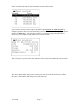
Battery indicator
The battery indicator always is shown in the upper left hand corner
(as shown above). It
will show the current status of the battery. When the battery gets sufficiently depleted the
unit will block the user from reading tags so that the unit is not damaged. If a unit
becomes severely discharged the unit will display a low battery message and then turn
itself off automatically.
Battery charging
It the handheld is plugged into a charger the battery indicator will be replaced by a plug
icon with either a C (charging) or F (full) until the unit is fully charged.
See demonstration of the charging function from Stemco specialist.
Troubleshooting
The system can be reset holding down the F3 and down arrow combination
simultaneously until the screen flashes and redraws. Takes about 4 seconds. No records
or data will be lost.
RF exposure information
Safety specifications or Specific Absorbtion Rate info
According to 15.247, of the FCC guidelines, this device is categorically excluded from
routine environmental evaluation for demonstrating RF exposure compliance with respect
to MPE and/or SAR limits.
1.) This unit is classified as a portable devices.
2.) Exposure falls under general population/Uncontrolled exposure.
3.) Device transmits less than 20 mW of power in the 2.4 to 2.48 GHz band.
4.) The device should be considered a spread spectrum transmitter.
5.) Typical exposure times are less than 3 seconds during any tag reading.
6.) This device is tested and evaluated under part 15 section 247.
7.) The device is tested as a production unit.