
User's Manual




12/7/2004 Page 10
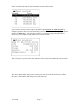
Using the up/down and right arrow keys make the desired clock changes and depress the
ENTER key for each field so the updates are made. The final date and time entered will
appear on the bottom of the screen (as shown above).
Enter military time for PM in the hour field. Example: 14 = 2pm 18 = 6pm
Midnight = 00.
Configure – Version
The version screen allows the user to tell which version and build numbers are currently
programmed into the processors inside the unit. This screen will normally only be
referenced for warranty or upgrade purposes.
Configure – Diagnostics
This menu is password protected and holds the factory settings for your unit and
cannot
be accessed by end user’s.