
Instruction Manual

Instruction Manual
4
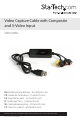
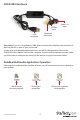
SVID2USB2 Hardware
Please note: If you are using Windows 2000, please connect the audio from your external A/V
device to the line-in port on your sound card.
In order to launch the Multimedia application, you will rst be required to connect the
SVID2USB2 Video Capture Cable to your computer. Once the USB connection has been made,
you will be able to congure the settings for the device, using the instructions below.
GrabBee Multimedia Application Operation
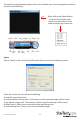
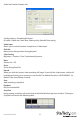
Following the installation of the GrabBee software, you will notice three new icons located on
your desktop:
USB
connector
Composite
video input
S-Video
input
Audio L /R
input
Click to launch
the main program
Click to view
record les
Click to view captured
still image les