
Owners manual


Instruction Manual
12
KVM Switch OSD Operation
To enter the Hotkey Menu, press the Ctrl key twice within two seconds.
• L-CTRL is the Ctrl key located on the left side of the keyboard.
• 1~8/A~H are the number keys 1-8 located in the upper row of the
keyboard, and the character keys A-H (not case sensitive).
Please Note: Do not use the keypad at the right of the keyboard.
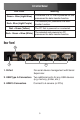
To enter the KVM Menu, press the Ctrl key three times within two
seconds. Once entered, the menu will display a list of the connected
computers with corresponding port numbers, names, and statuses, as
shown below.