
Instruction manual


Instruction Manual
4
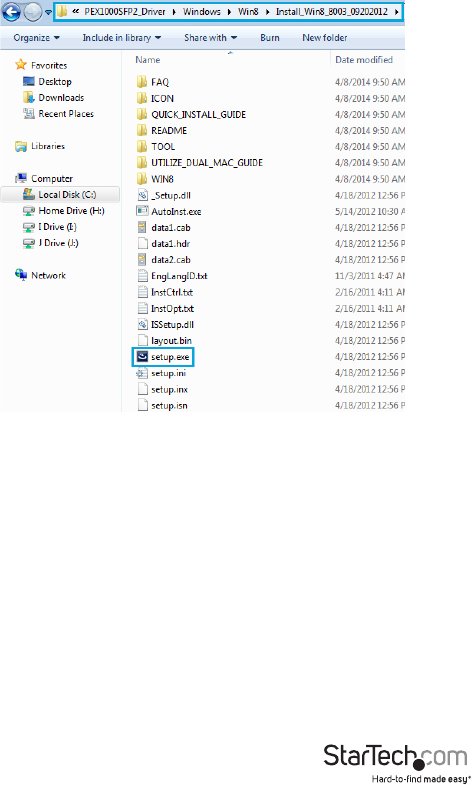
4. If AutoPlay is disabled, browse to your CD/DVD drive, open the “PEX1000MMSC2_
SFP2_Driver” folder, and run the “Setup.exe” application within the appropriate
Operating System folder for the system you are using.
5. Follow any on-screen instructions to complete the software installation.
NOTE: You may be prompted to restart your system.
Mac OS
1. Insert the provided CD into your DVD/CD-ROM drive.
2. For OS 10.7 and up, browse to the “\PEX1000MMSC2_SFP2_Driver\MacOS\MacOS
10.7\Packages” folder on the disc and then run the “dstroot.pkg” application to start
the install.