
Operation Manual





21
4.2 CUSTOMIZING SCREEN
The device features a touch screen with idle displays and access to utilities
at just one-touch. So swipe right or left to navigate through various
screens accessing your favorite features without entering the main menu.
Each screen can be customized by adding various widgets, shortcuts and
folders.
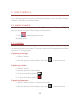
Shortcuts
In order to add a shortcut on the screen:
¾ Long press on the desired application to add on the screen.
Widgets
Save time with live updates right on Home screen and get all of your
personalized updates at one place.
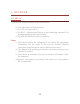
Setting the wallpaper
You can customize the wallpaper of your Home screen with default
wallpaper or with pictures taken from your device.
¾ In the idle mode, tap Menu Key > Wallpaper.
¾ Select your desired wallpaper from the various options:
¾ Gallery
¾ Live Wallpapers
¾ Video Wallpaper
¾ Wallpapers