
Operation Manual




18
3.5 BROWSER
Browser is a tool which enables you to access the Internet.
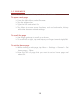
To open a web page
¾ From the Main Menu, select Browser.
¾ Tap the address bar.
¾ Type the URL and select Go.
¾ Tap Menu to access more functions, such as bookmarks, history
and other browser related settings.
To scroll the page
¾ Use finger gestures to scroll up or down.
¾ To scroll left or right, tap and swipe your finger towards right/left.
To set the Home page
¾ While viewing a web page, tap Menu > Settings > General > Set
home page > Other.
¾ Enter the URL of page that you want to set as home page and
select Ok.