
Operation Manual




16
3.3 CONTACTS
Contacts refer to the phonebook that lets you store names, phone
numbers, e-mail addresses and other information. You can save
information such as name, picture, phone numbers, e-mail addresses, etc
for each contact listed in your Contacts menu.
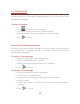
To add a Contact
¾ In standby mode, tap
.
¾ Tap
create New contact..
¾ Select the storage
¾ You can enter contact information such as name, phone number,
email address etc, if you select storage as “Phone”.
¾ Tap Done to save the contact.
Tip: Or enter the Main Menu and select People, tap
create
New contact.
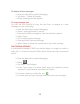
To import contacts
¾ Enter the Main Menu select People.
¾ Tap Menu > Import/export.
¾ Select to import contacts from Phone/ Internal storage/ SIM Card/
Memory Card.
¾ Select a particular source to import the contacts from.
¾ Select Next.
¾ Select the destination, such as Phone to copy contacts to.
¾ Select Next.
¾ Select “Select all” to import all contacts or mark the required
contacts.
¾ Select OK.