
DX9 Crossfire CRSF Protocol Instructions
©2017 Horizon Hobby, LLC. All Rights Reserved.
4105 Fieldstone Rd • Champaign, IL • 61822 • 800.535.5551 • fastserve.horizonhobby.com
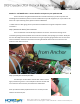
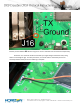
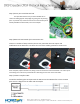
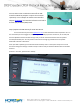
You can either utilize a cable that comes off the TBS
Crossfire module bay adapter or aquire the connector
seperately. In our example we used the iX12 Crossfire
adapter (SPMA3090) and attached a female servo lead to
the blue (TX) and Black (GND) leads.
Step 6) Update the DX9 Airware for Serial Port Access
You will now want to proceed to Spektrumrc.com to download the firmware required to turn on
this serial data port. Once logged in, find your registered DX9 (if you have not done so, do so now) and
then find Update Firmware. Browse through until you locate the latest firmware that incorporates
Crossfire/Serial data port. You may need to reference the change log readme file for the update
download to find this information.
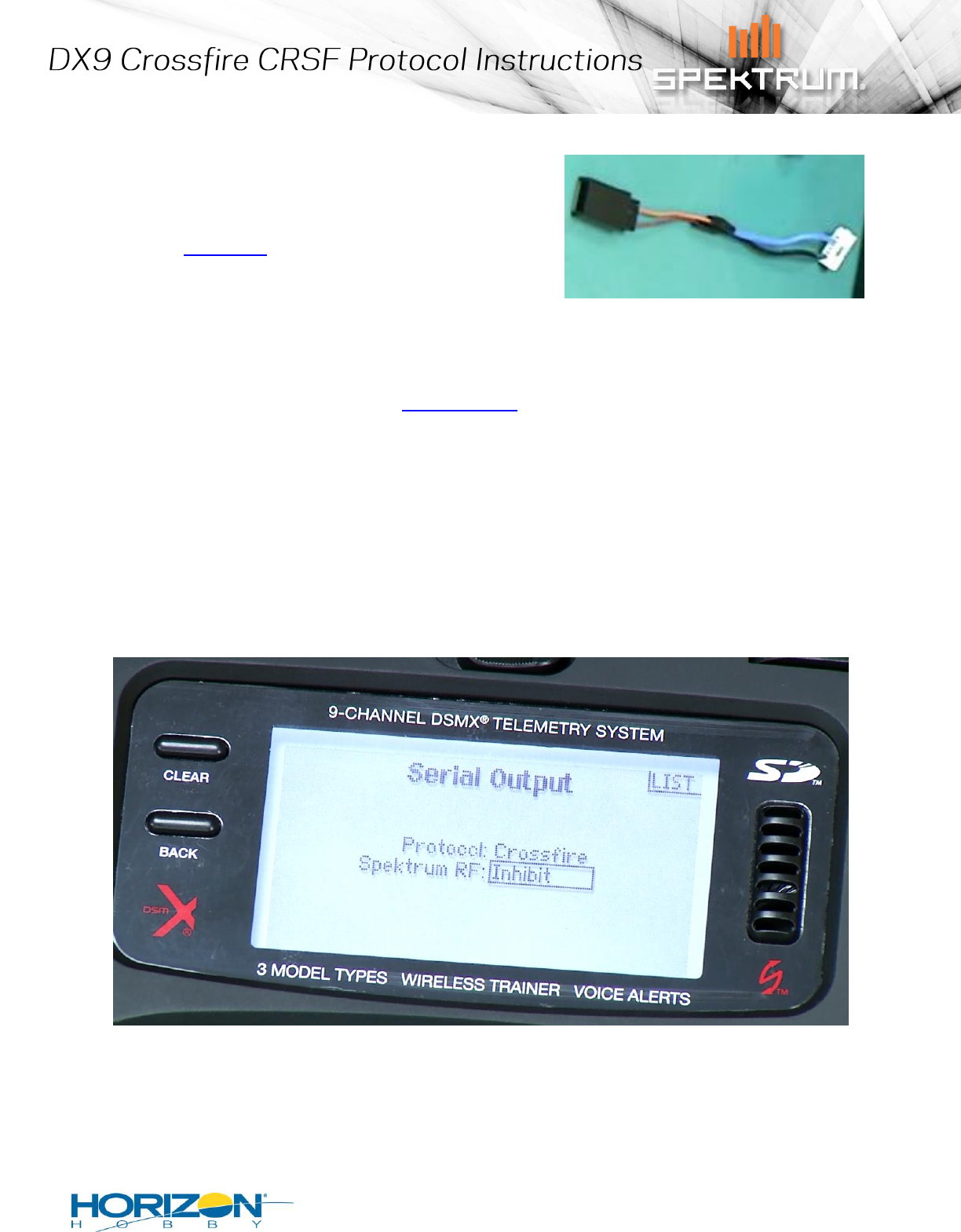
Once your DX9 is updated, you will find the Serial Port Setup menu in the system setup menu. Inside
that menu change the settings as shown and your radio is ready to utilize the TBS Crossfire via the CRSF
Protocol.
(Protocol = Crossfire , Spektrum RF = Inhibit)