
DX9 Crossfire CRSF Protocol Instructions
©2017 Horizon Hobby, LLC. All Rights Reserved.
4105 Fieldstone Rd • Champaign, IL • 61822 • 800.535.5551 • fastserve.horizonhobby.com
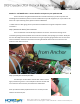
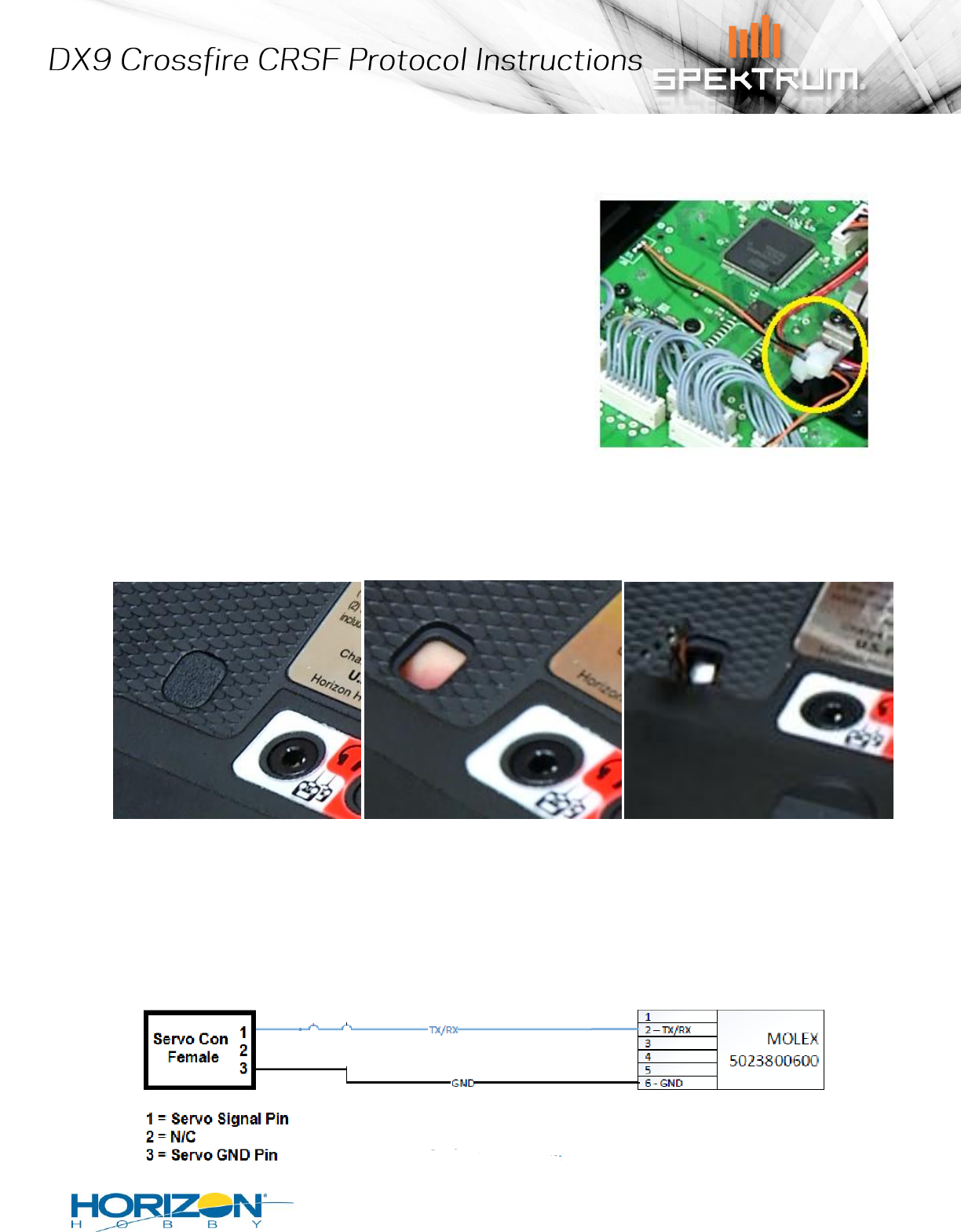
Step 3) Secure your serial data out lead
It is important that the wire you have installed has no
chance of rubbing against sharp edges or getting into any moving
parts. To prevent this, anchor the wire to one of the anchor points
already available inside the DX9, such as this example.
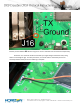
Step 4) Route the lead outside of the transmitter case
There are a number of ways to do this, but an easy route that does not require and
modification to the back case is to take it thru one of the rubber grommets as shown here.
Once complete, replace the back case, being careful to reroute the antenna lead back in its anchor point
and making sure no wires are pinched while re-attaching the rear case of the transmitter.
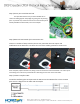
Step 5) Create a interface cable
You will be interfacing this serial port with the EXP Port on the TBS Crossfire. This is the 6 Pin
port. Here is a diagram for the cable and an example.