
User Guide Network Adapter Spectra 12000


Chapter 5. Configuring the Spectra 12000 S-QIP 51
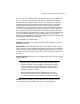
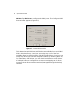
S-QIP Configure Controller Screen
S-QIP Default ID Settings
Note: Each S-QIP bus must have an ID unique to that bus.
This allows the S-QIP to initiate commands to the drive.
Each S-QIP uses two SCSI busses, and each bus must have a SCSI ID
unique to that SCSI bus.
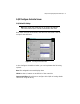
In the Configure Controller window, you can implement the following
options.
Name The assigned bus name displays here.
SCSI ID Use the +/- buttons to set SCSI ID of the controller.
Exports a Logical Library Check here to configure this S-QIP as having robotic
control for a logical library.
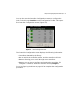
Figure 5-4 The Configure Controller window.