
User Guide Network Adapter Spectra 12000


20 Spectra 12000 User Guide
The Library Controller Stylus
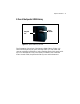
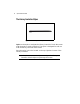
Stylus Use the stylus to navigate the Library Controller. Touch the screen
with the stylus to make a selection. The stylus is designed for safe use
with the Library Controller touchscreen.
Store the stylus in the slot located on the top right-hand corner of the
Library Controller.
Caution: Do not use metal objects to navigate the Library
Controller. Metal objects may damage the screen.
Figure 1-2 The Library Controller stylus.