
User Guide Network Adapter Spectra 12000


Chapter 9. Using the Spectra 12000 Library 129
Viewing the F-QIP Configuration
You can view the current F-QIP configurations from the Diagnostics
screen. Follow these steps:
1. Go to the Library Controller. Pull down the Toolbars menu and select
the Maintenance toolbar.
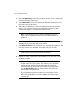
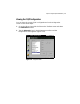
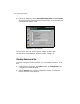
2. Tap the Diagnostics icon in the Maintenance toolbar and the
Diagnostics screen appears (Figure 9-12).
Figure 9-12 Diagnostics screen.