
Reference Guide




8
US
D:\_SONY TV\SY150017_XML_UC2_RG (REV-1)\4562086121_US\020PAT_US.fm masterpage: Left
KDL-48W700C / 40W700C
4-562-086-12(1)
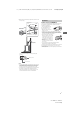
LAN
DIGITAL AUDIO OUT (OPTICAL)
VIDEO IN 1 /
For a composite connection.
VIDEO IN 2 ,
COMPONENT IN /
• For a composite connection: Use
VIDEO IN 2
, and (L/R) or
COMPONENT IN / *.
• For a component connection: Use Y,
P
B, PR, and (L/R).
HDMI IN 1/MHL
You can connect your MHL (Mobile
High-definition Link) device using an
HD quality MHL cable.
AUDIO OUT /
To listen to the TV's sound through the
connected equipment, press HOME.
Select [Settings] [Sound]
[Headphone/Audio Out] and then
select the desired item.
USB 1/2
Connecting a large USB device may
interfere with other connected devices
beside it.
HDMI IN 2/3/4
If connecting a digital audio system that
is compatible with Audio Return
Channel (ARC) technology, use HDMI IN
2. If not, an additional connection with
DIGITAL AUDIO OUT (OPTICAL) is
necessary.
CABLE/ANTENNA
Connect to your cable or antenna
(aerial).
* When connecting mono equipment, connect to
the L (MONO) audio jack.
Inputs and Outputs
7
5
6
23 4
1
89