
Operating Guide
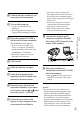
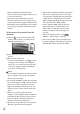
Table Of Contents
- Cover
- GB
- IMPORTANT SAFETY INSTRUCTIONS
- Read this first
- Table of contents
- Getting started
- Binoculars/Recording/Playback
- Saving movies and photos
- Customizing this product
- Additional information
- Quick reference
- FR
- Lisez ceci avant tout
- Table des matières
- Préparation
- Jumelles/Enregistrement/Lecture
- Enregistrement de films ou de photos
- Personnalisation de cet appareil
- Informations complémentaires
- Référence rapide
- FRCA
- CONSIGNES DE SÉCURITÉ IMPORTANTES
- Table des matières
- Comment démarrer
- Jumelles/Enregistrement/Lecture
- Sauvegarde de films et de photos
- Personnalisation de ce product
- Informations complémentaires
- Référence rapide
- ES
- Lea esto antes de empezar
- Índice de contenido
- Introducción
- Binoculares/grabación/reproducción
- Guardar películas y fotografías
- Personalizar el producto
- Información complementaria
- Referencia rápida
- ESUS
- Lea este apartado en primer lugar
- Índice
- Procedimientos iniciales
- Binoculares/Grabación/Reproducción
- Almacenamiento de películas y fotos
- Personalización del producto
- Información complementaria
- Referencia rápida
- GB

37
GB
Saving movies and photos
Starting PMB (Picture
Motion Browser)
1
Double-click the “PMB” short-cut
icon on the computer screen.
The PMB software starts up.
2
Double-click the “PMB Help”
short-cut icon on the computer
screen to see how to use “PMB.”
Notes
If the icon is not displayed on the computer
screen, click [Start] [All Programs] [
PMB] the desired item.
Tips
Double-click “PMB Launcher” on the desktop
of the computer. This allows you to start the
desired function (application) by selecting one
from a list of “PMB” functions.