
Network Function/Application Operating Instructions

95
Network Operation
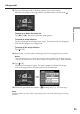
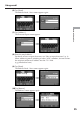
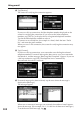
(6) Tap [Enter].
The Address Book : New screen appears again.
,
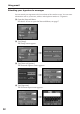
(7) Tap [Address].
The character input screen appears.
,
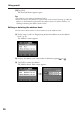
(8) Enter the email address.
For details of how to input characters, see “How to input characters” (p. 9).
When addressing email, including to other “AOL” members, be sure to enter
the recipients entire email address into the “To” field.
(e.g. johndoe@aol.com)
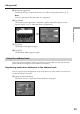
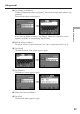
(9) Tap [Enter].
The Address Book : New screen appears again.
,
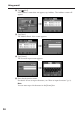
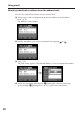
(10)Tap [Return].
The Address screen appears again.
,
Using email