
Network Function/Application Operating Instructions

13
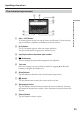
Basic operations of the network function
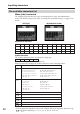
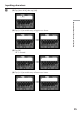
When [123] is selected
(Numerical order)
Numbers and symbol characters
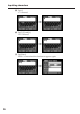
Inputting characters
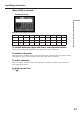
To switch between upper and lower case alphabet letters
Tap [a/A] to change the alphabetical keyboard, then enter characters.
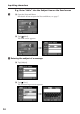
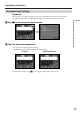
To delete a character
Move the cursor with the stylus just to the right of the character that you want to delete,
and tap [Back space]. The character to the left of the cursor is deleted.
To add a character
Move the cursor with the stylus to the position at which you want to add a character,
then input the character.
To begin a new line
Tap [ ].
123+()$
C
\%
4 56–[]&ˆ|˜
789/{}`”’,
*0#=<>. : ; _