
Network Function Operating Instructions

13
Introduction
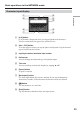
Basic operations in the NETWORK mode
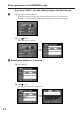
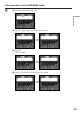
To switch between upper and lower case alphabet letters
Tap [a/A] to change the alphabetical keyboard, then enter characters.
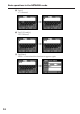
To delete a character
Move the cursor with the stylus to the right of the character at which you want to
delete, tap [Back space]. The character at the left of the cursor is deleted.
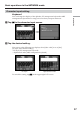
To add a character
Move the cursor with the stylus to the position at which you want to add a character,
then input characters.
To start a new line
Tap [ ].
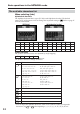
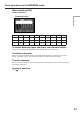
When selecting [123]
Symbol characters
(Numerical order)
123+()$
C
\%
456– []&ˆ | ˜
789/{}`”’ ,
*0#=<>. :;_