
Network Function Operating Instructions


39
Preparation
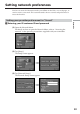
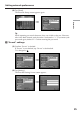
(9) Tap [Enter].
The Network Setup screen appears again.
,
Tip
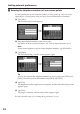
While inputting password characters, they are visible as they are. However,
after it has been entered, each character is indicated as “∗”. If you enter your
password again, delete all “∗” before entering the password.
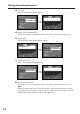
2 “AOL” settings
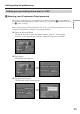
(1) Tap [AOL].
a is changed to
.
,
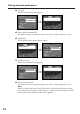
(2) Tap [Setting].
AOL Network Setup screen appears.
,
Setting network preferences